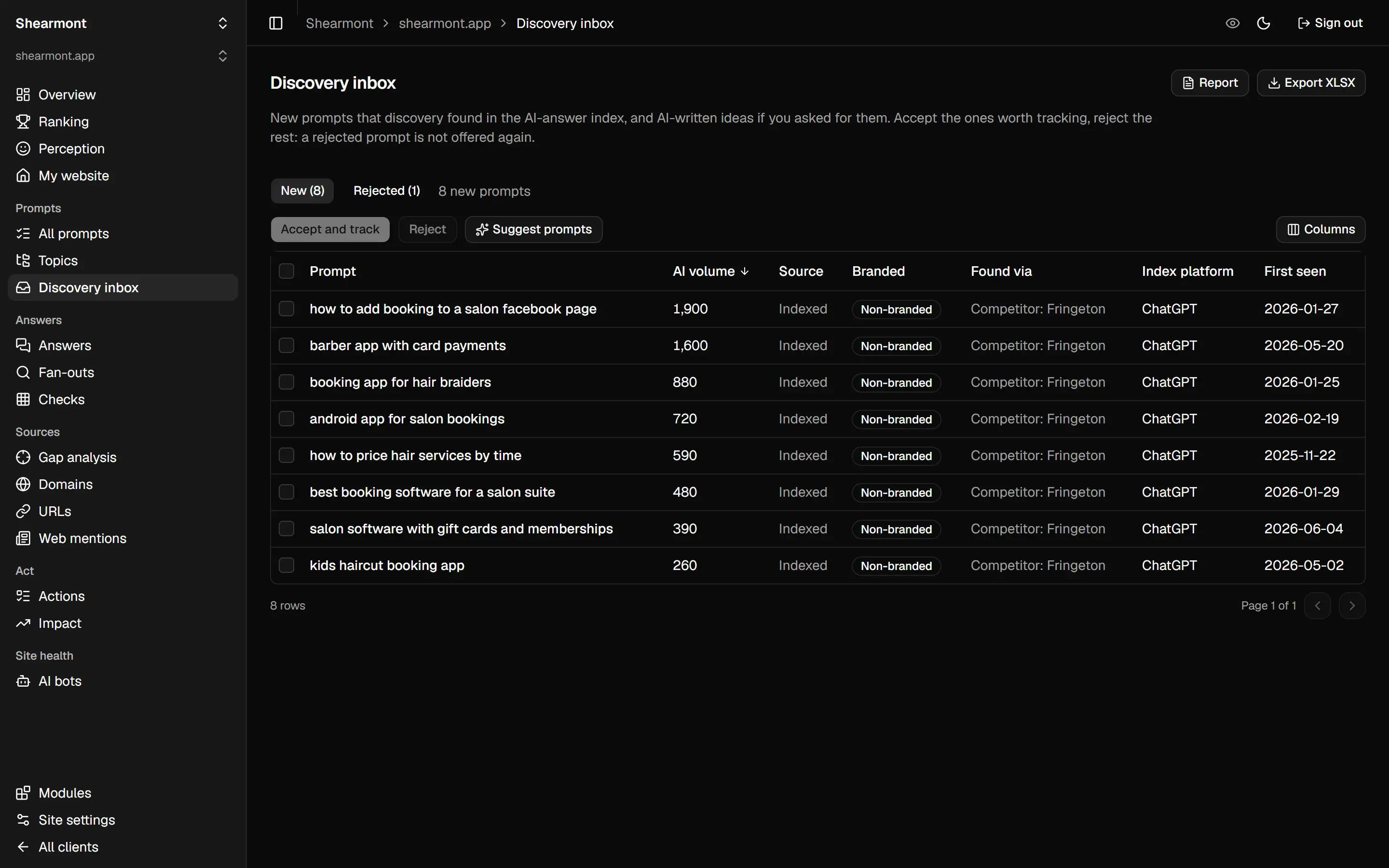
1. Dig up the prompts people actually type
Keyword lists are the wrong input. People ask ChatGPT whole questions, not three keywords. So discovery digs through DataForSEO's index of real AI answers and pulls three kinds of prompts: ones that already cite your site, ones that cite a competitor's site (steal those), and questions around your topic. Got your own list? Paste it. Every new find waits in an inbox for your yes or no.
2. Check the price tag first
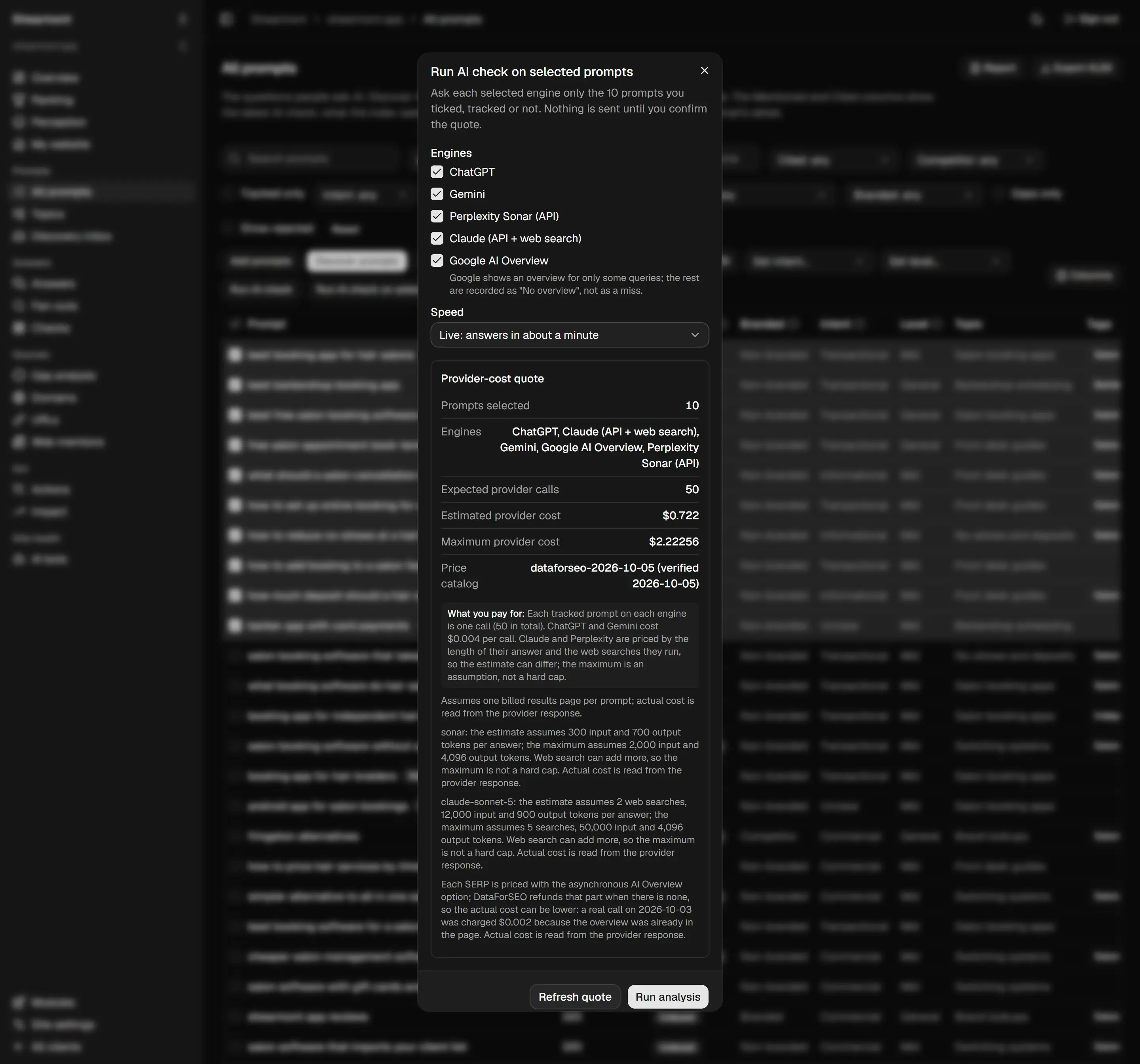
Choose your prompts and engines and a quote pops up: the number of calls, an estimate, the worst-case maximum and the price catalog behind it. Nothing goes out until you hit confirm, and if you change the selection, the quote starts over. No surprise invoices, which is more than I can say for some tools.
3. Quiz five engines
- ChatGPT and Gemini: scraped from the real consumer apps, either live or queued.
- Perplexity: its Sonar API, which runs a fresh web search for each and every answer.
- Claude: Anthropic's API, with the web search tool turned on.
- Google AI Overview: lifted straight off the results page. If Google shows no overview, the log says exactly that.
Each answer gets saved with the lot: which brands it named and in what order, its sources, the searches it ran (if the engine reports them), plus the raw response. You can dig the receipts back up any time. All five side by side, prompt by prompt: that's the AI rank tracker.
4. Read the scoreboard
| Number | Meaning |
|---|---|
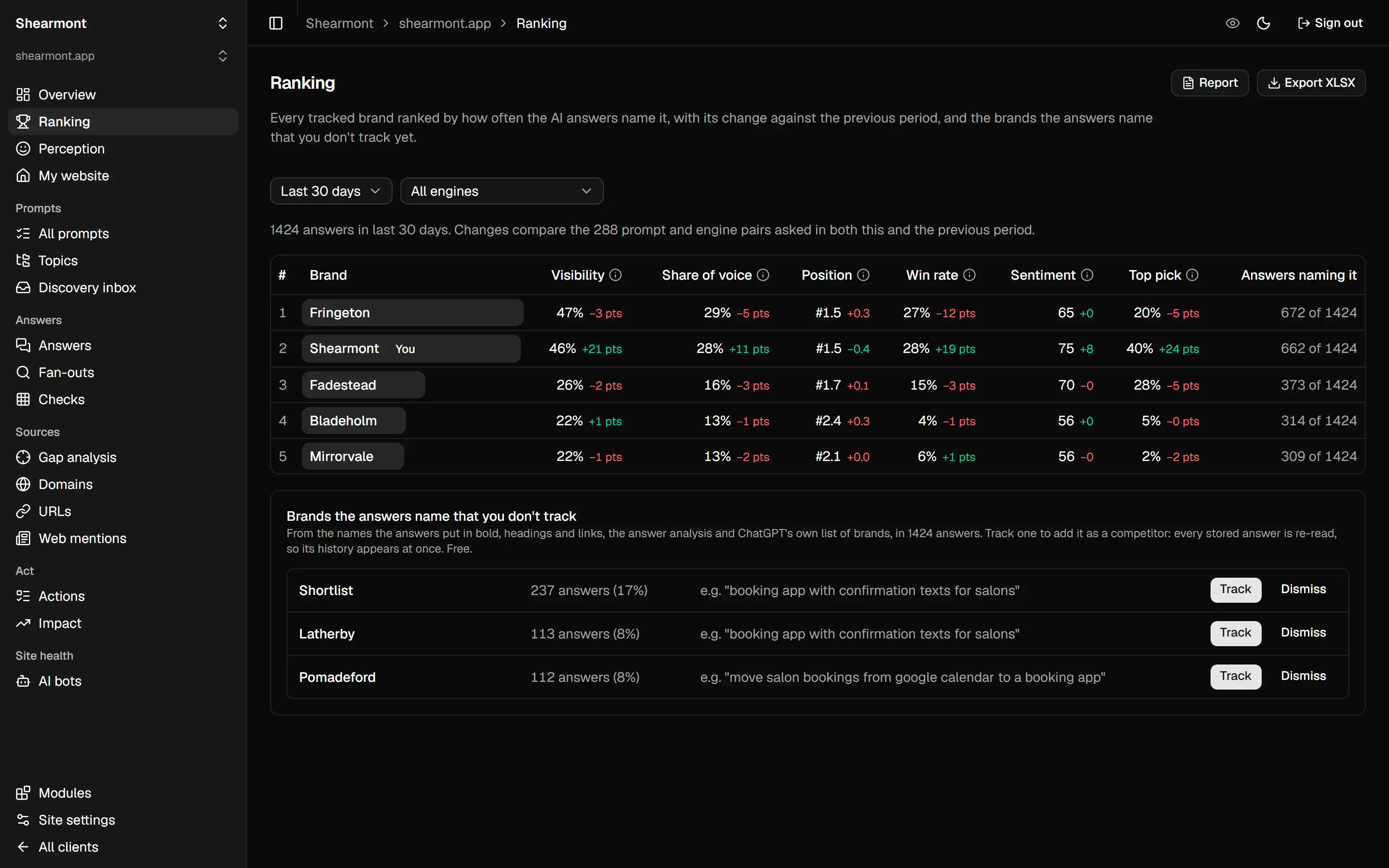
| Visibility | Out of all answers, the percentage that mention you |
| Share of voice | Your slice of every mention handed to the brands you track |
| Position | Where you land in the list, on average |
| Win rate | How often you're the first brand named |
| Sentiment | Scored 0 to 100, only from answers that got analysed |
| Used as a source | The percentage of answers listing your site as a source |
AI answers wobble, so each rate ships with a likely range. And when you compare two periods, only prompt and engine pairs that were asked both times get counted. Bolt on new prompts and you still can't fake a trend. Want the whole thing on one page? Here's the full demo scoreboard.
5. Go after the gaps
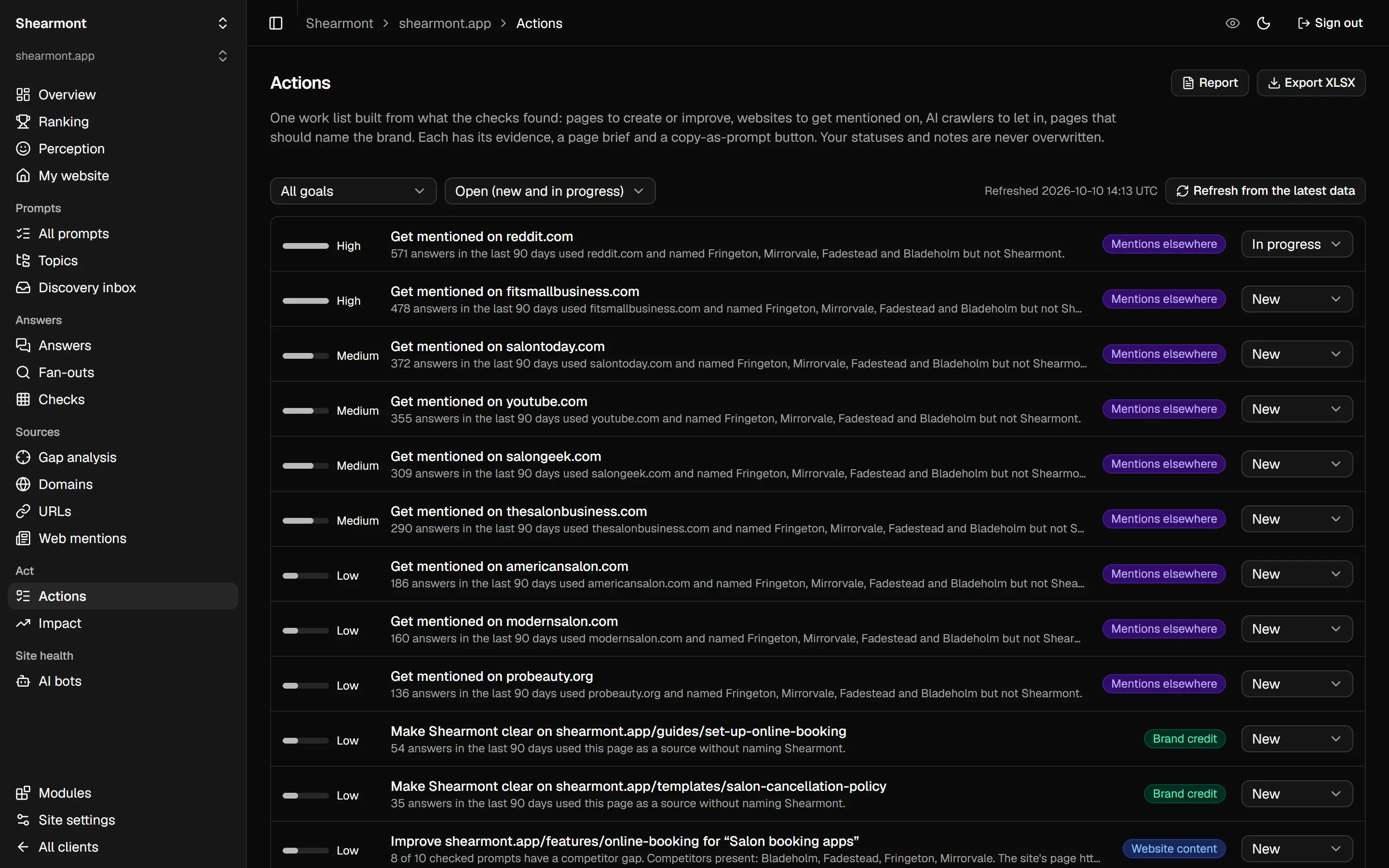
Gap analysis pulls up the sites the engines leaned on in answers that named a rival and skipped you. Congrats, that's your outreach list. Then Actions boils it all down to a single to-do list: pages to write or patch up, sites where you need a mention, AI crawlers you should let in. Every item comes with its evidence. The sources side gets its own page, the AI citation tracker, and the free AI crawler test shows which bots your site turns away.
6. Run it back next week
Every check is saved with its date. Pick any two and the app lays out your wins and losses for each prompt on each engine. Tick an action off and see what moved, before versus after. Then ship the client an XLSX file, a share link or a one-page report.
The bill
The tool: free while the beta lasts. The checks: paid by you, in cents, to DataForSEO, through your own account. Weekly checks of 100 prompts across ChatGPT, Gemini, Perplexity and AI Overviews run you about $4.77 monthly. Got different numbers? Feed them to the AI tracking cost calculator. Paid plans come later and stay under $10 a month.